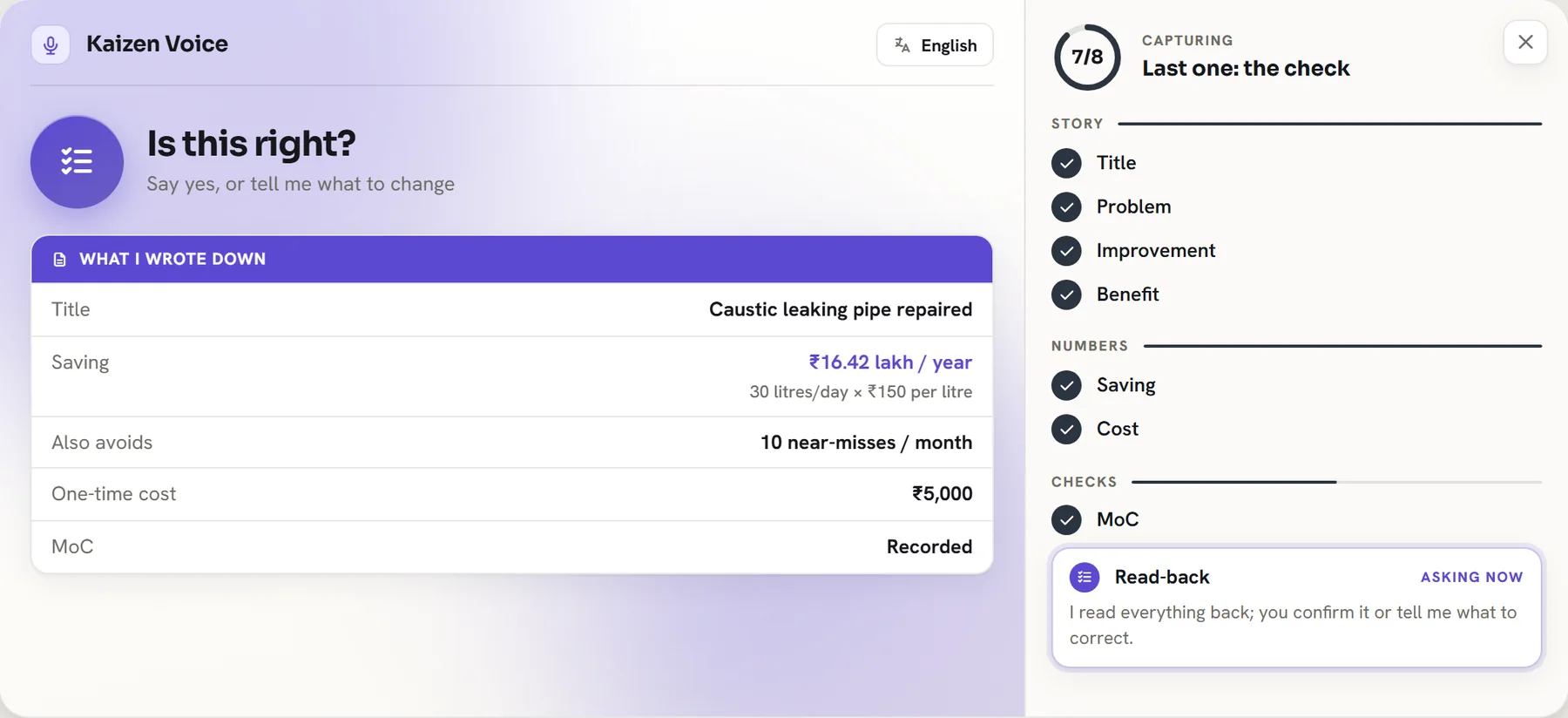
Reads the record back
Before anything is saved, Kaizen repeats what it wrote down and asks, "Is this right?"

Kaizen by Entira
Every employee can submit an improvement by voice or a guided form, in their own language. AI drafts the record and works out the saving. Your people review, approve and stay in control at every step.
How Kaizen uses AI
AI is present at every step of an improvement, and at every step a named person has the final say.
Capture
Employees speak or type in the language they are comfortable with. Kaizen asks only for what is missing, so an idea takes minutes and needs no training.
A sample conversation with sample data. Whatever language is spoken, the record is drafted in English for reviewers.
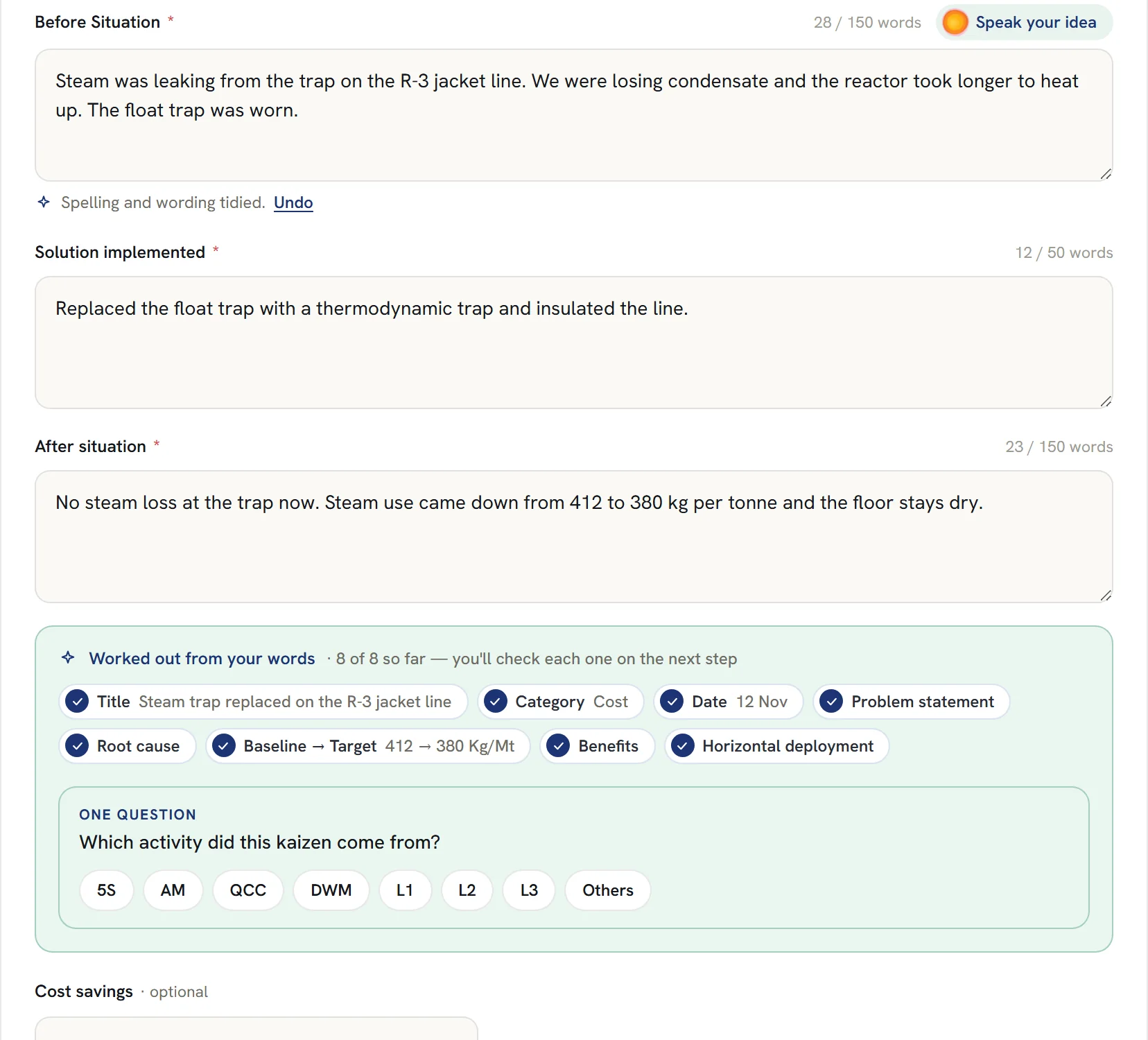
Three plain questions: what was happening, what you changed, how it is now.
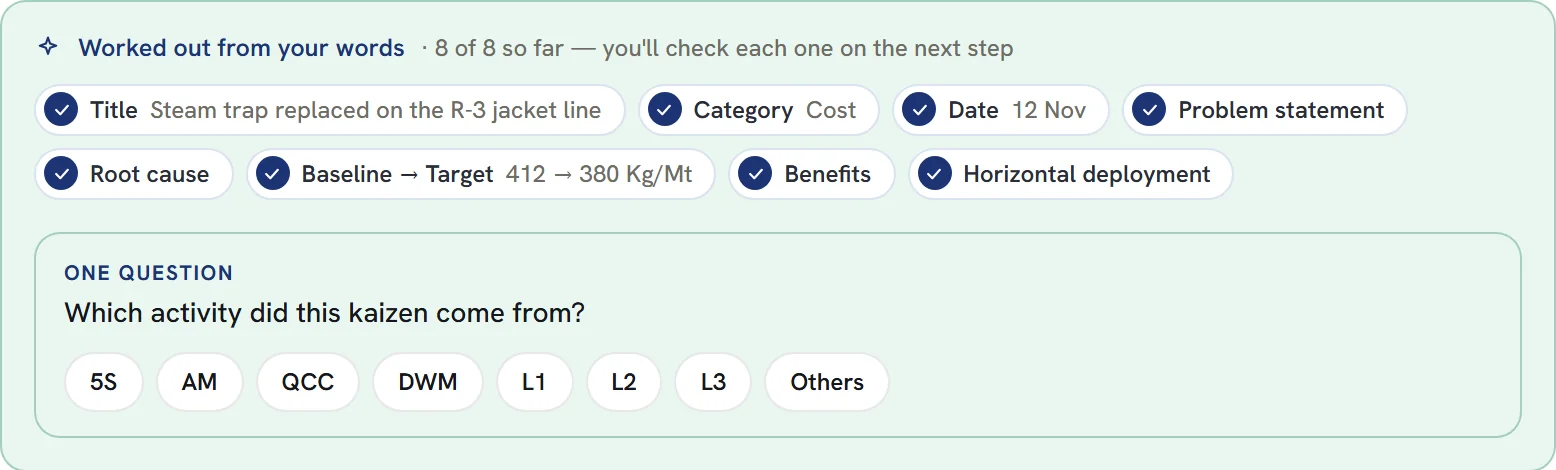
Title, category, cause, baseline and target are worked out as you type, and shown for you to check.
Kaizen asks only for what it could not work out itself.
AI assistance
Every field AI fills in can be read, edited or undone. Nothing is submitted until the employee says it is right.
Before anything is saved, Kaizen repeats what it wrote down and asks, "Is this right?"
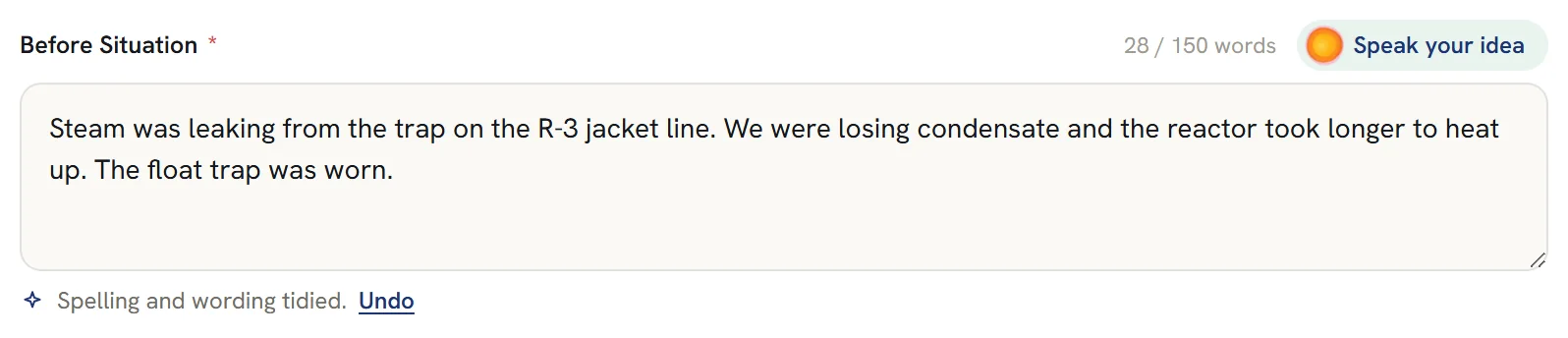
Spelling and phrasing are cleaned up in the employee's own words. One click puts the original back.
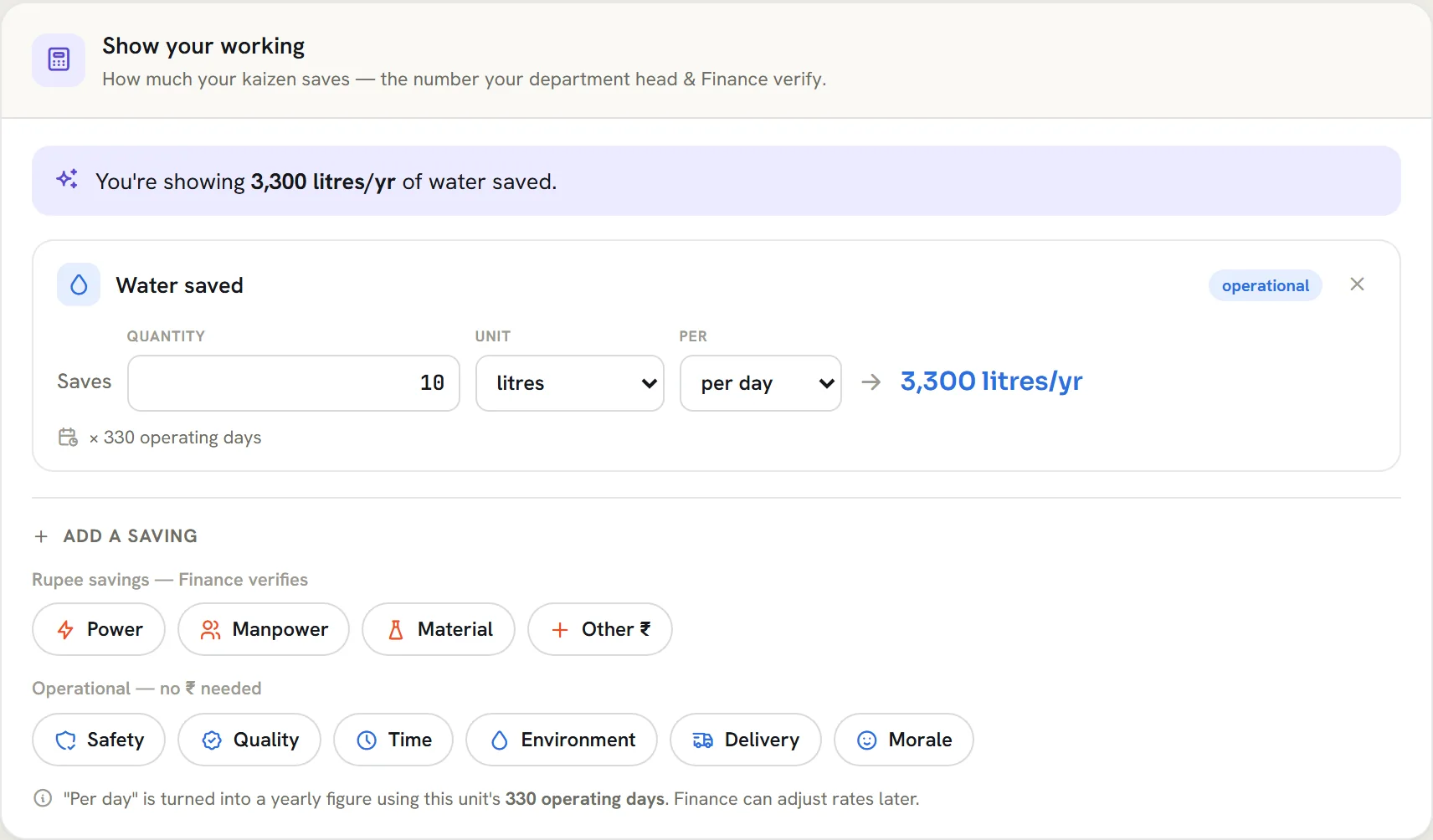
A saving is calculated from the figures the employee gave, using your site's operating days. Finance sees every line.
Workflow
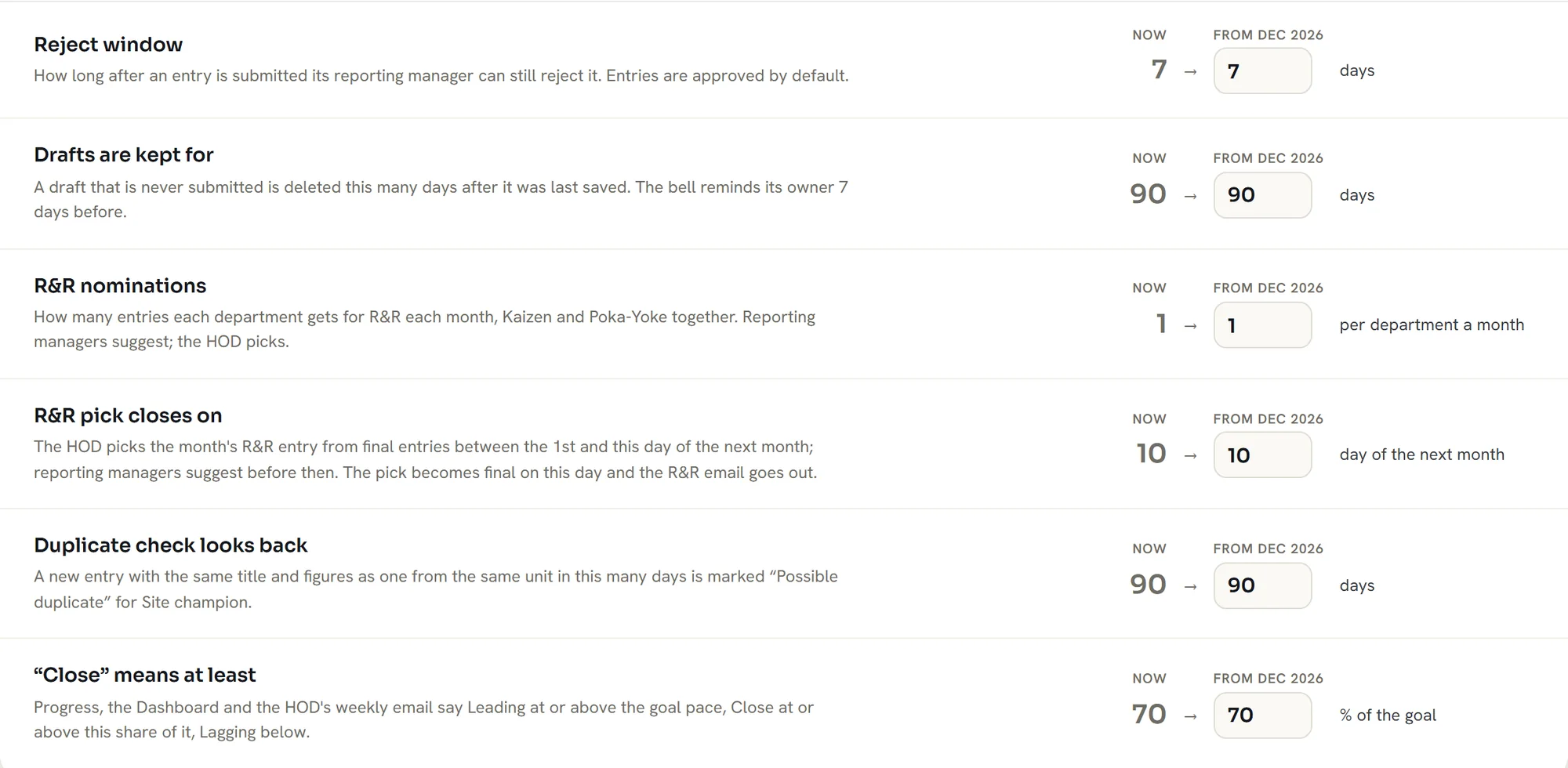
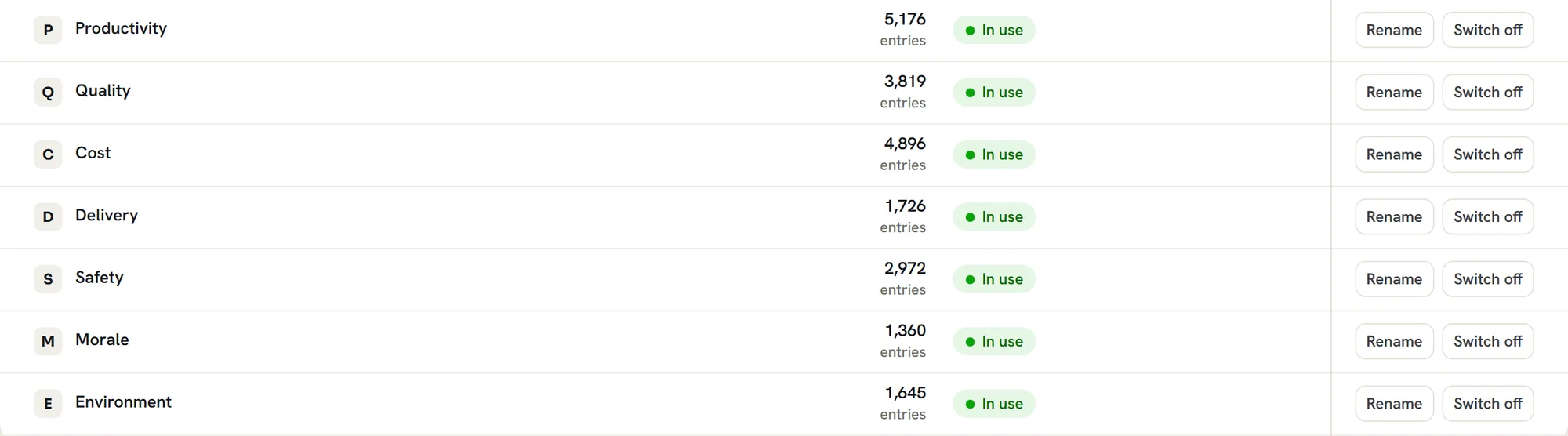
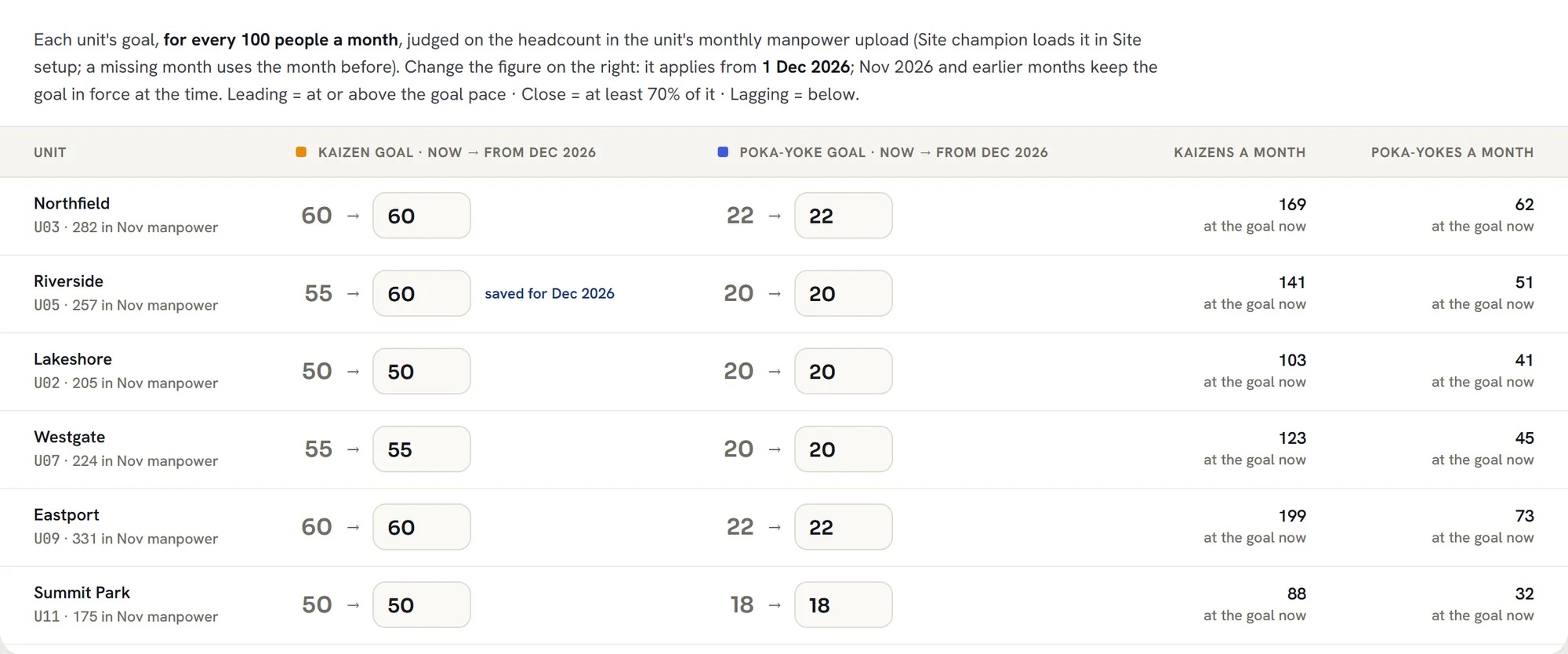
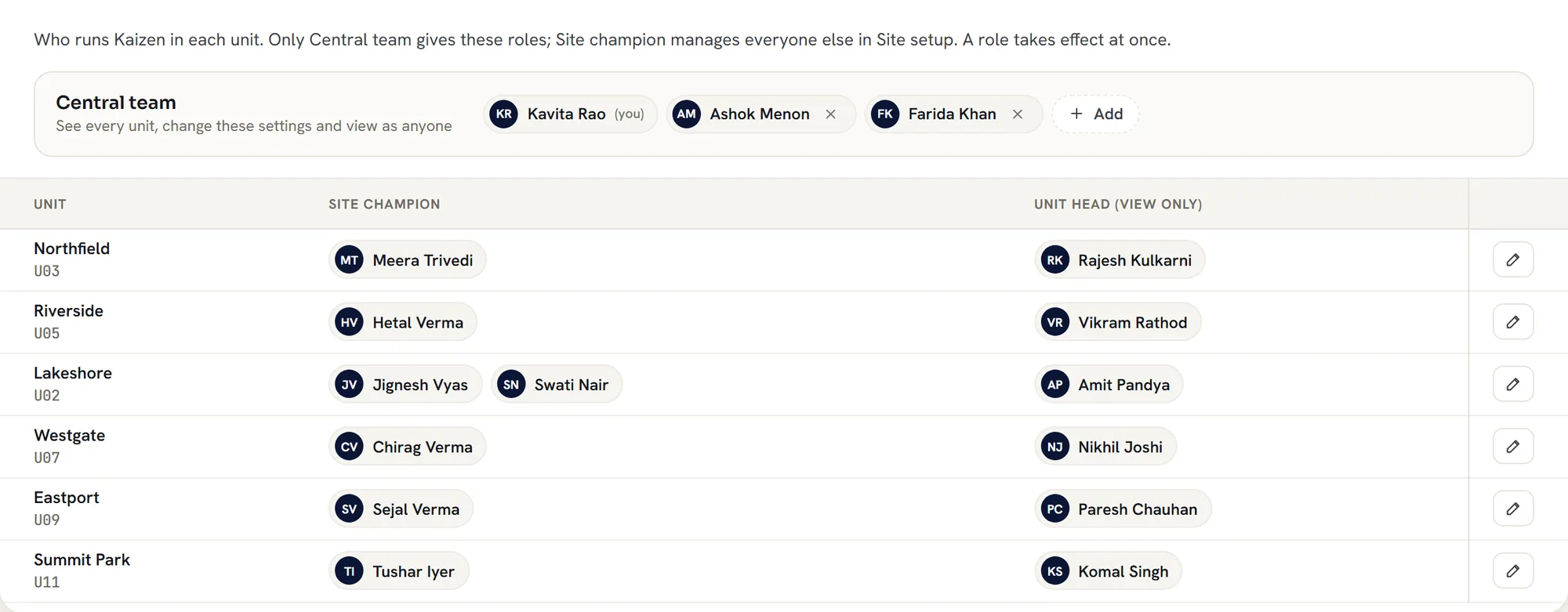
Stages, roles, thresholds and reward rules are settings your administrators own. They are not written into the software, so no two customers run Kaizen the same way.
Decisions
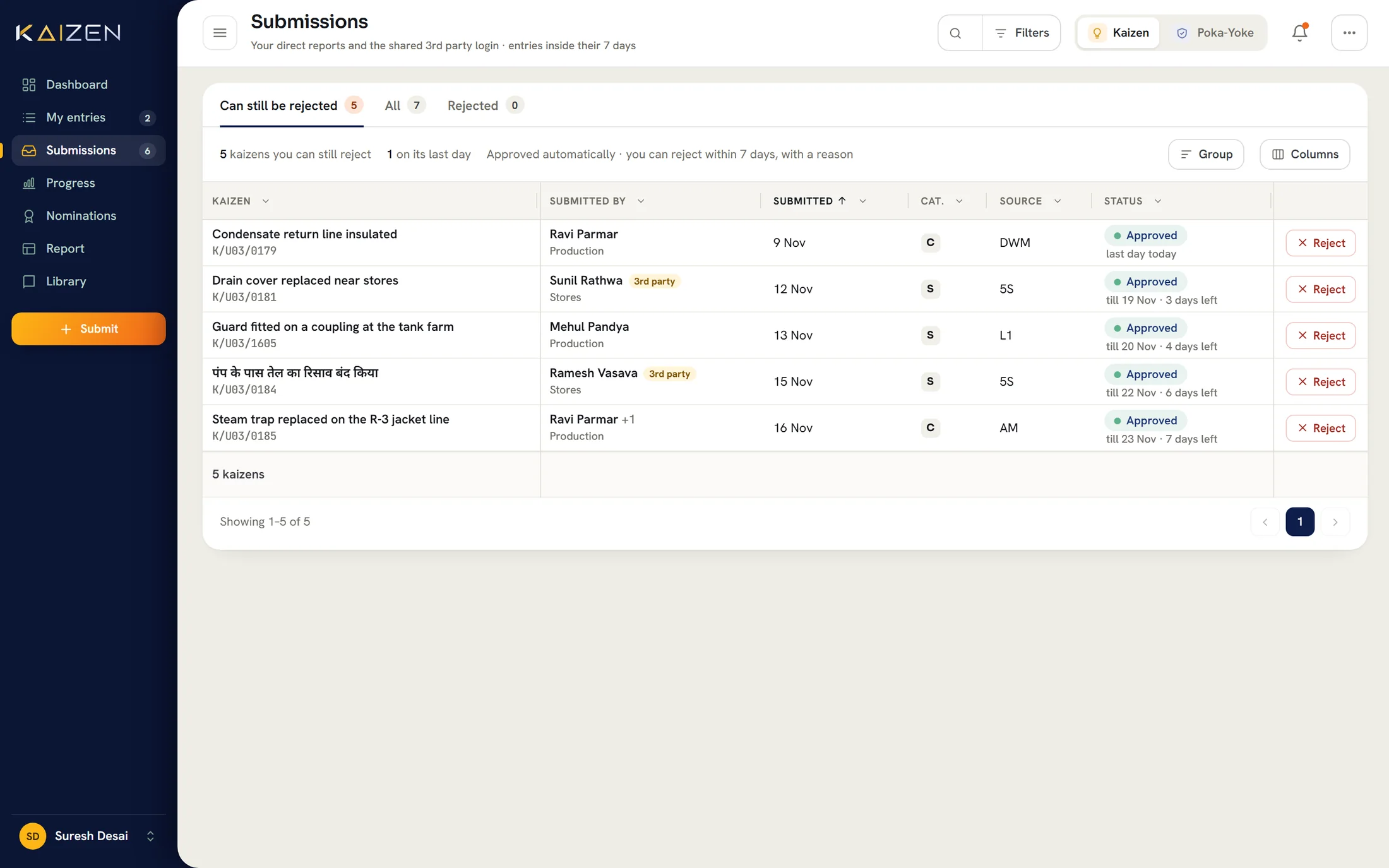
AI prepares each idea so a decision takes seconds. The decision itself always belongs to a person.
Results
Every improvement is counted, rewarded by your rules and offered to other sites.
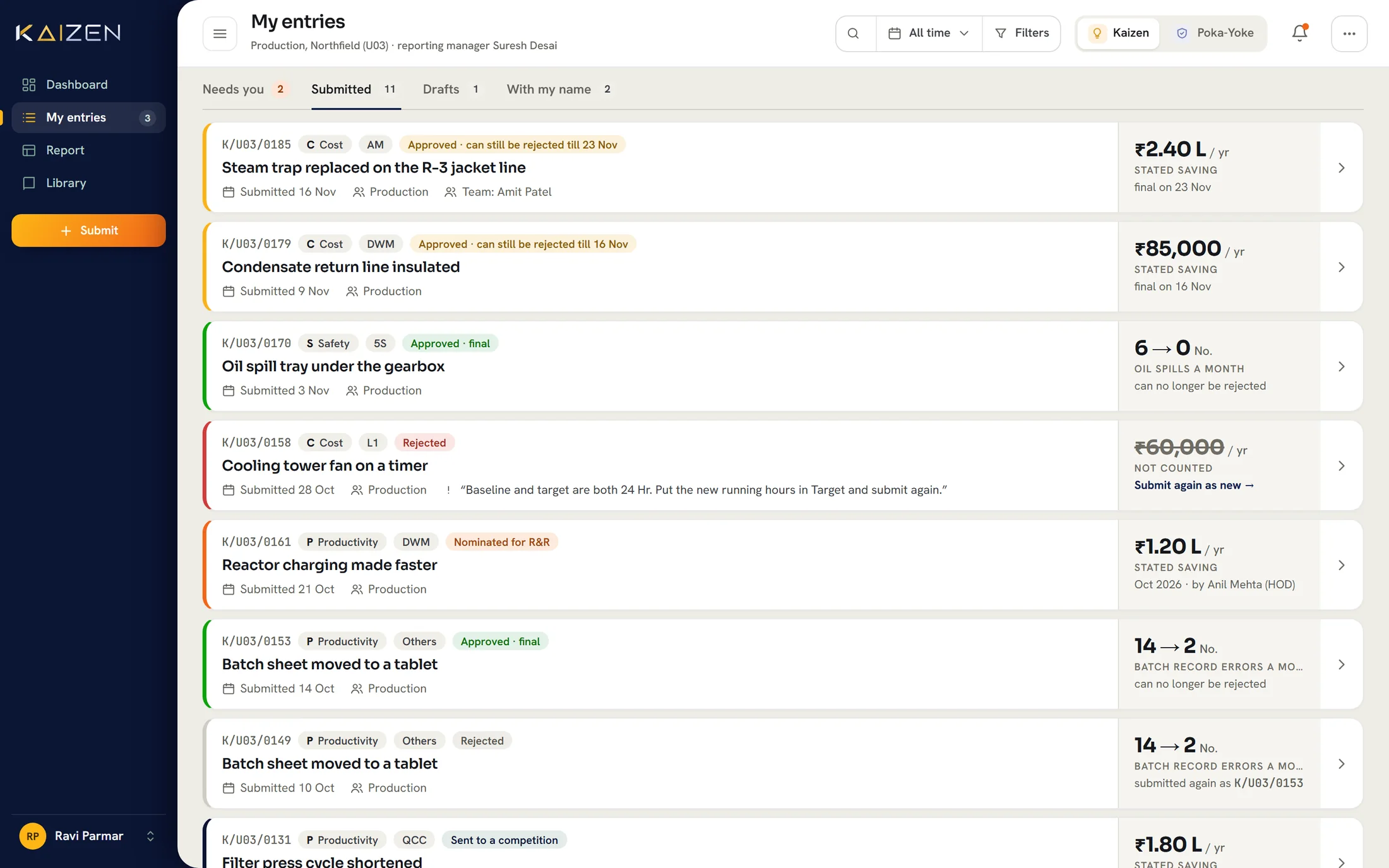
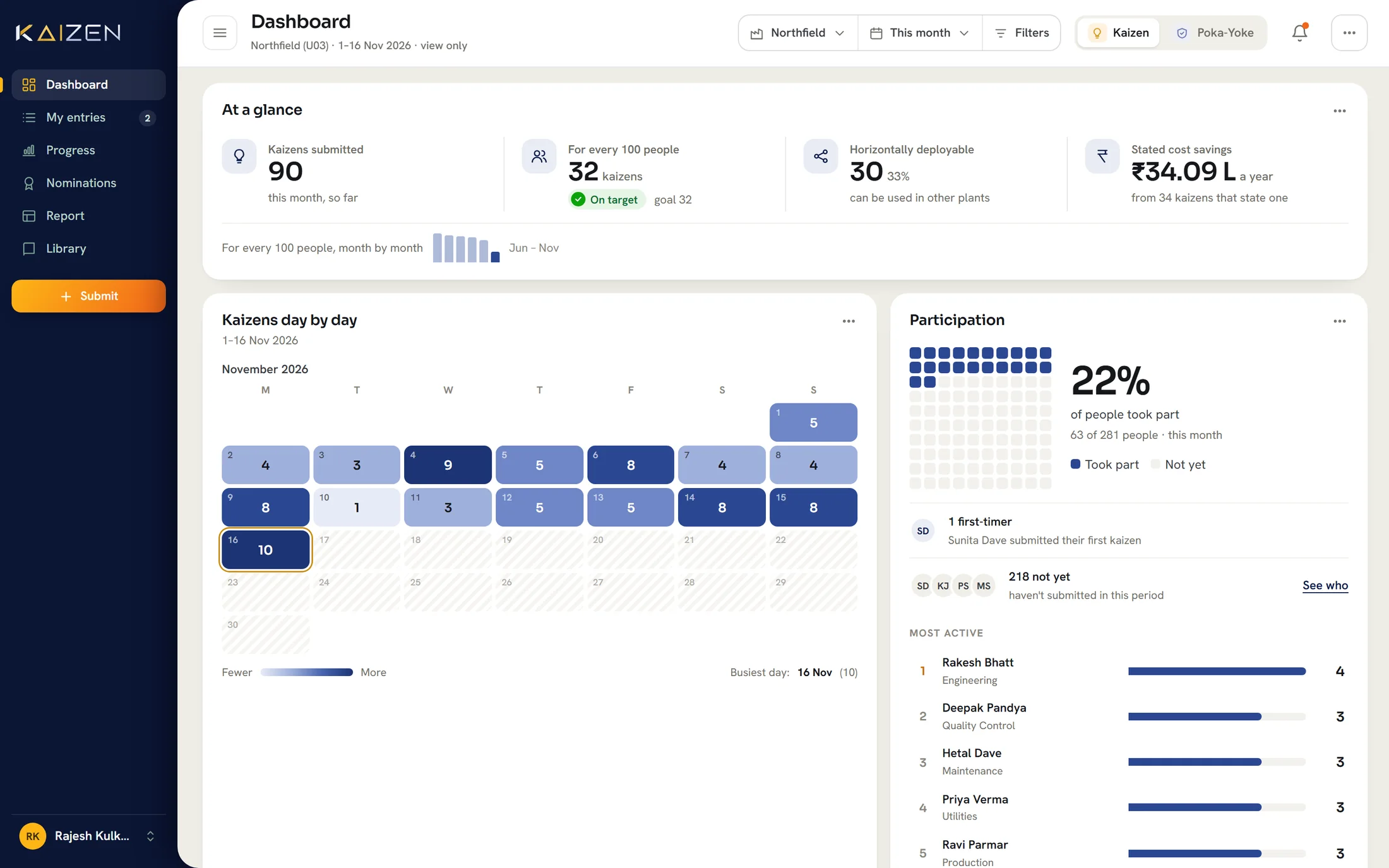
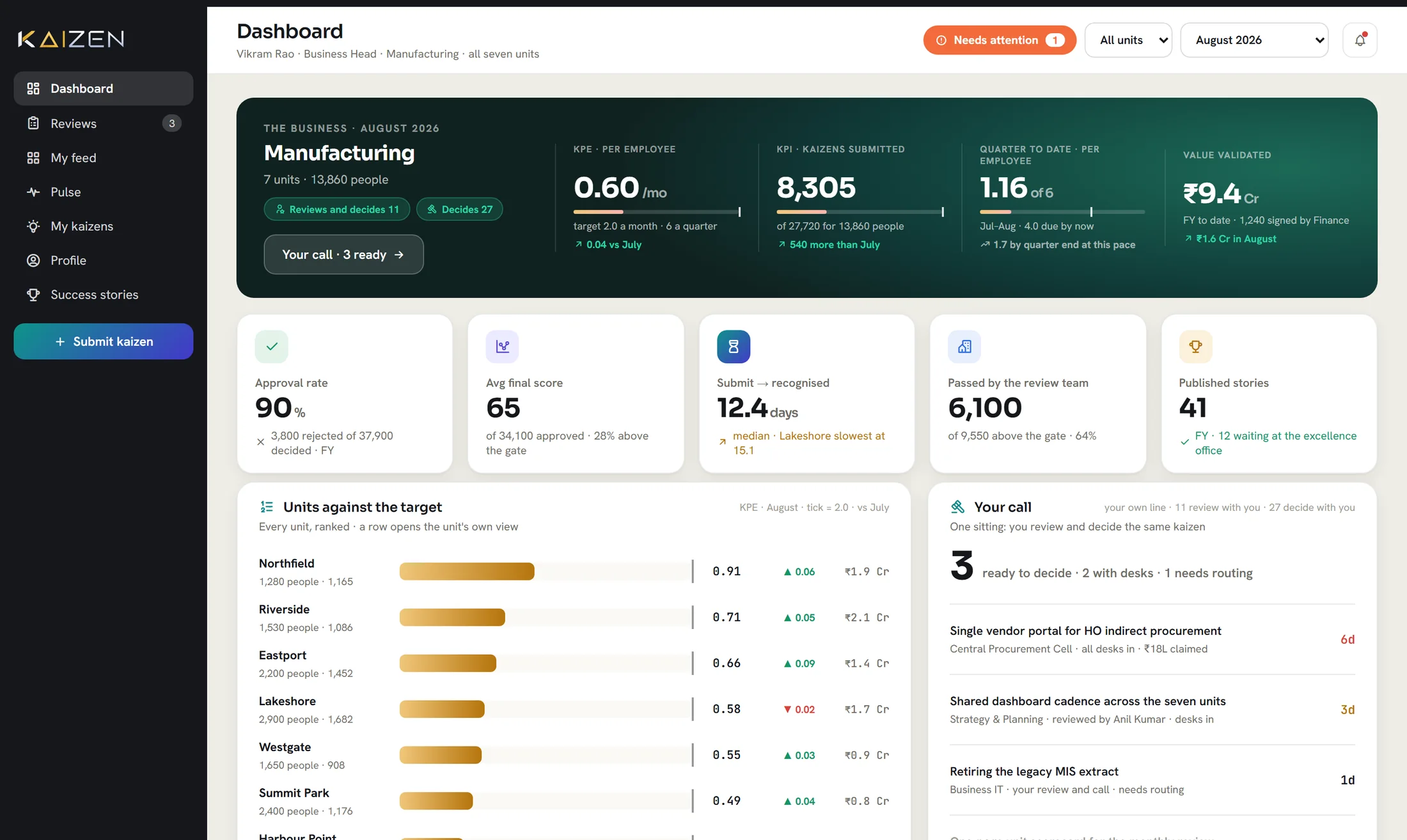
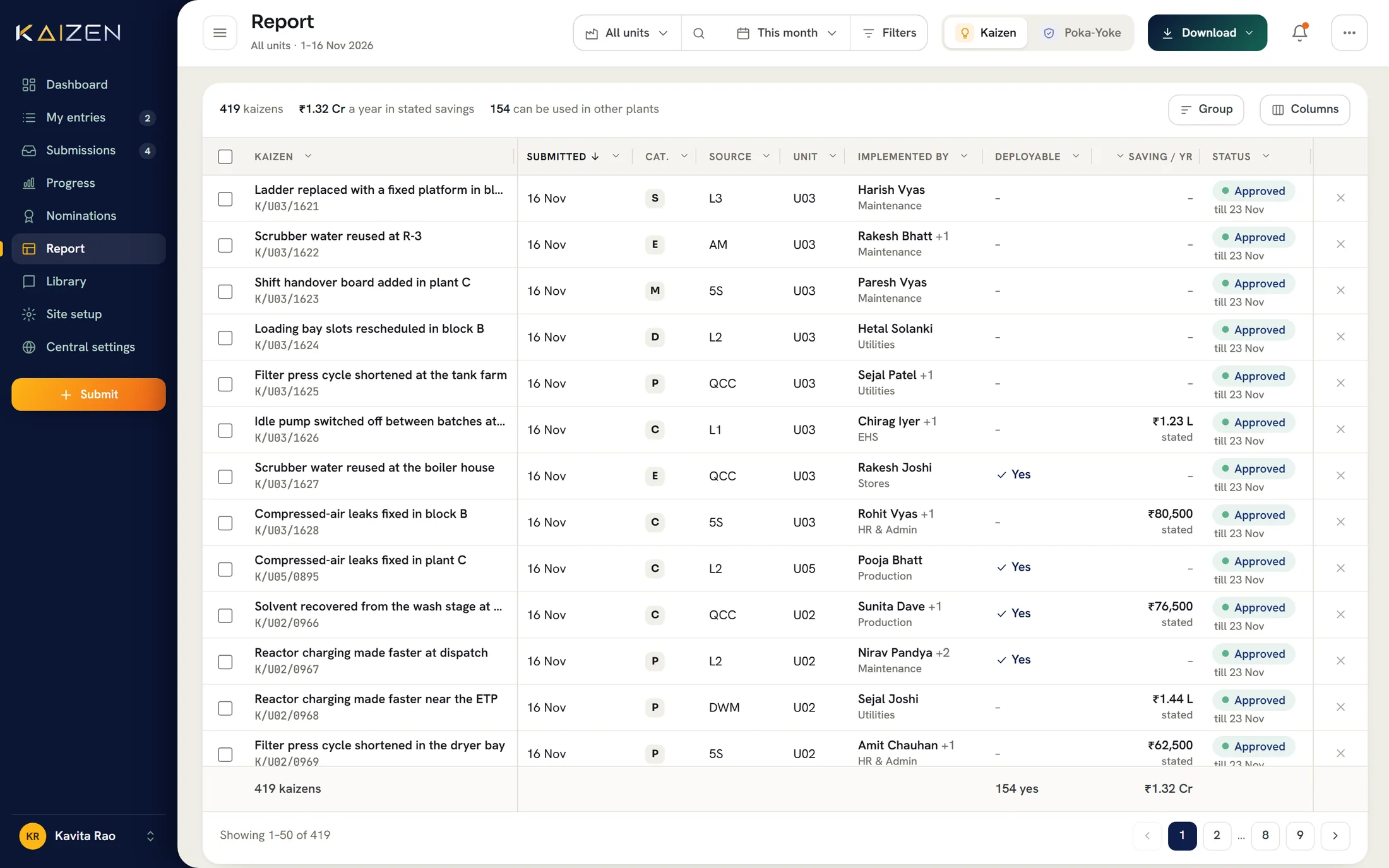
Employees see every idea they have raised and where each one stands.
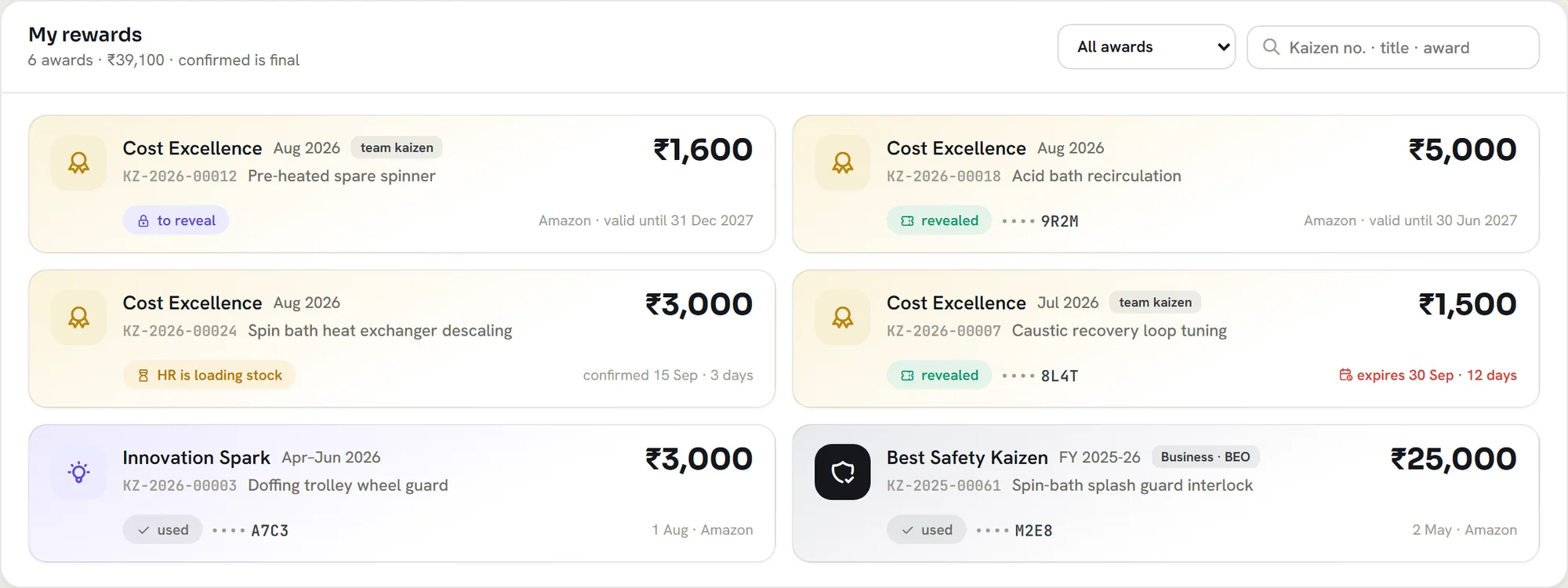
Points, awards, certificates and nominations, with the tiers and amounts you define. Leaders confirm each award.
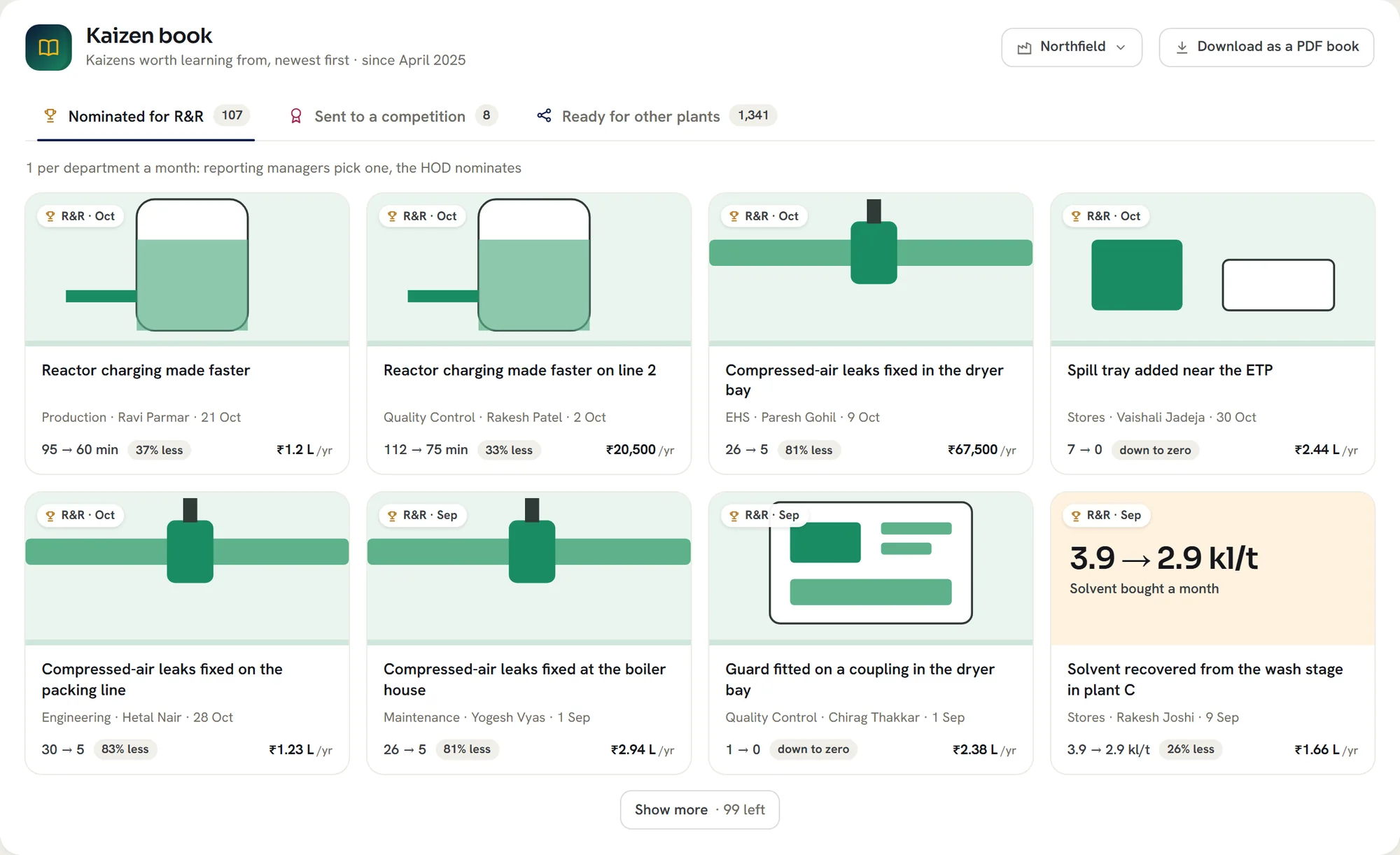
Approved improvements are published for other lines and sites to reuse, and can be downloaded as a book.
Kaizen agent
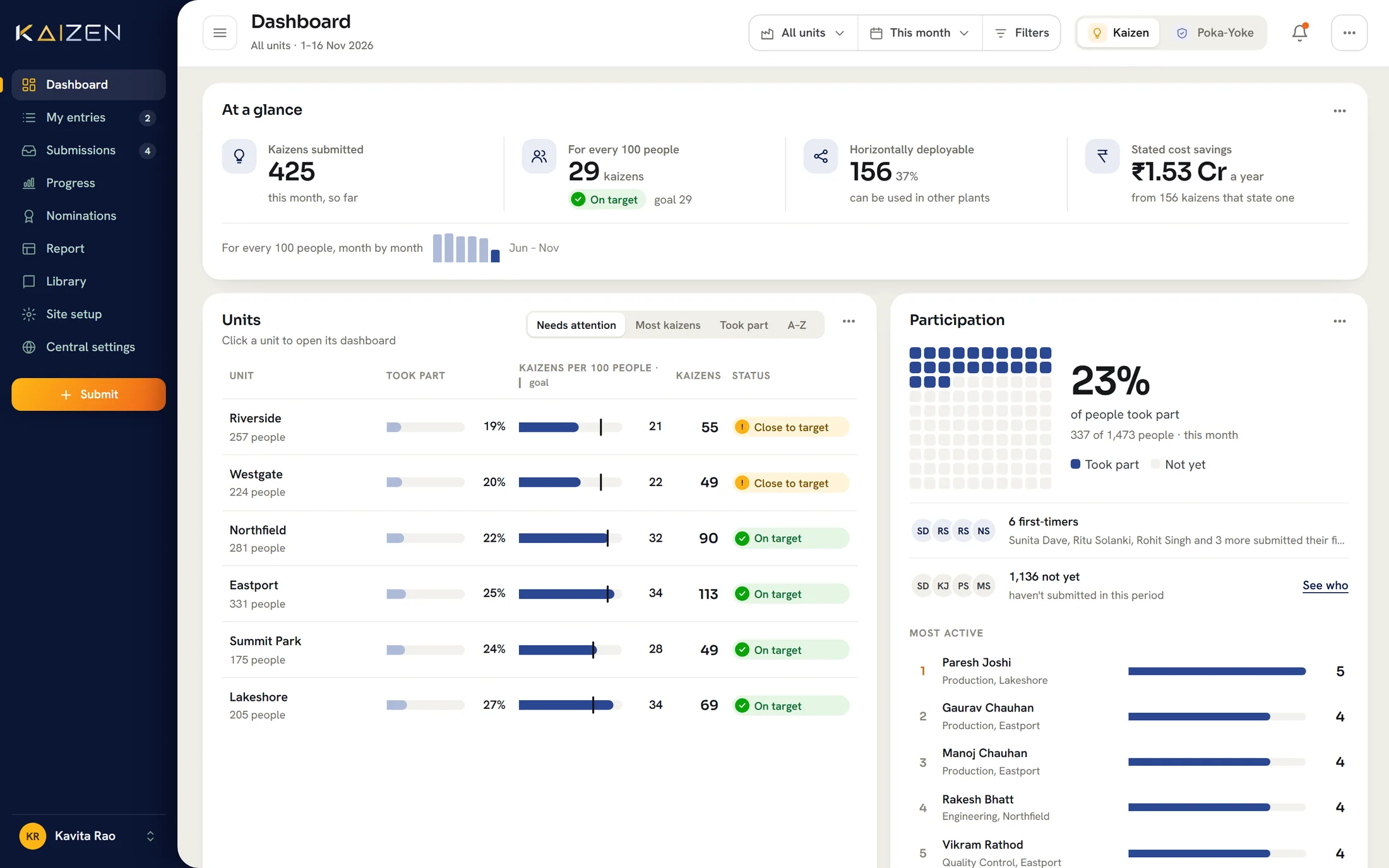
Leaders ask a question in plain language and get the figures behind the answer, across every site.
 Kaizen agentSample questions and sample data
Security and governance
Staff sign in with Microsoft Entra ID. Shop-floor employees can use a shared tablet and an employee code.
Deployed in your own Microsoft Azure tenant, on a private network where required.
People see their own site and their own queue. Reporting lines come from your HR system.
Every action and every correction is kept, with who made it, when and why.
Bring one real improvement from your shop floor. We will show it captured, reviewed and reported the way your process works.